Why are my headphones buzzing whenever I run my game?
Background
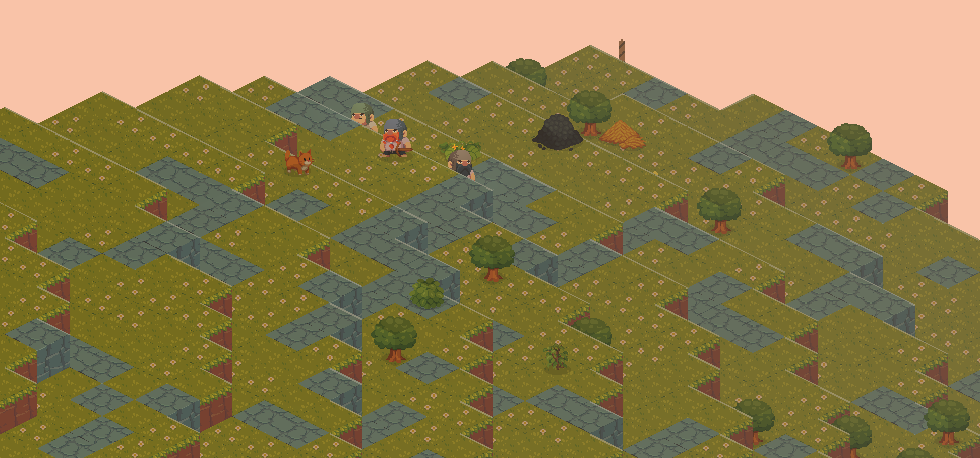
I am working on an isometric game inspired from Gnomoria, RimWorld, Dwarf Fortress, etc. It uses my own simple engine (with rust and wgpu-rs). Whenever I started my game, my headphones were buzzing. I could play Fortnite, Overwatch or any other game and that doesn’t cause my headphones to buzz. It’s only my game.
And it’s really annoying, as you might imagine.
Why can I play Overwatch and Fortnite fine, while my isometric game makes my headset buzz? I had a fairly decent CPU, a 3090RTX card, 32GB RAM and USB audio through a MODI 2 DAC. Nothing out of this world, but nothing too bad. One important detail here is that the power to the MODI device comes from an USB port in my computer. This was the first clue, I tried other ports with no change in results (headphones still buzzed).
Initially, I started to think it’s some sort of power-use related issue, because maybe my PSU was getting old, or had daemons in it. However, I still couldn’t explain why my tiny game was causing more chaos than say big games that send significantly more work at my PC.
I noticed is that when it didn’t render anything, nothing buzzed (I run tests with rendering disabled). So that eliminated any sort of CPU work causing it. Let’s take a look at what the GPU does.
The pipeline
The game has a simple graphics pipeline. I use WebGPU (more precisely wgpu-rs) and do some compute work to select visible entities, then use draw indirect to draw those entities. In the end, my render pipeline also outputs two things: the buffer that ends up on screen and a “picking texture”.

A picking texture is a very simple idea. As the name says, it’s used to handle picking in the game, when you click somewhere on the screen (e.g. to select an unit), I use this texture to know what you clicked on. Instead of colors, every object instance writes their EntityID to this texture. Then, when you click the mouse, you check what id is in the pixel under the mouse position.
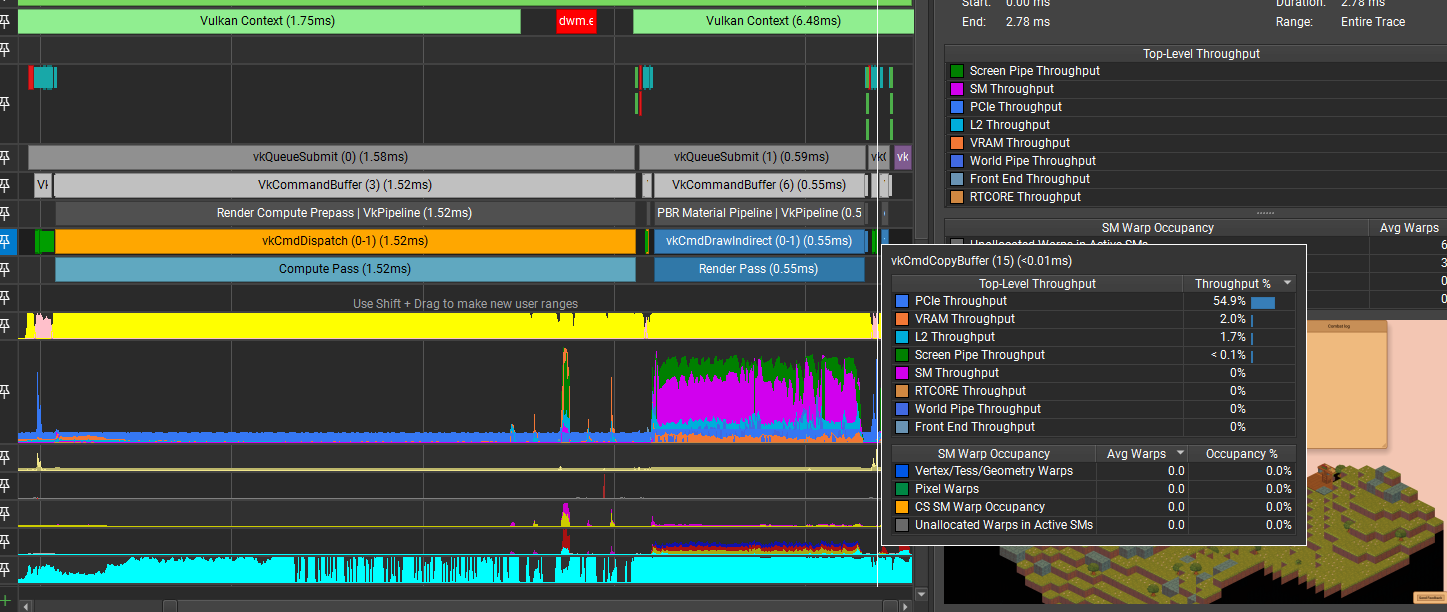
At the end of a frame, I copy that picking texture back to RAM (from GPU memory), to check it against mouse positions in case of a click.
This isn’t ideal as transfers from GPU->CPU memory take time, but it works and is way simpler to implement and debug than casting a ray through the scene:

So why does rendering make my headphones buzz?
Now that we have a picture of how the rendering in my game works, time to debug it. We know it’s something to do with the GPU work, but what can possibly cause this? As the trace above shows, my GPU is not under heavy load.
As I was stuck and had no idea on what can be a likely issue, I proceeded to then disable parts of my rendering pipeline (first the compute, then the rendering, then transferring the picking texture). When I skipped downloading the picking texture the buzzing was fully gone. What was confusing in this process is that disabling parts of the pipeline, somehow made the buzzing a lower volume and less noticeable.
To be sure it was the picking texture download, I also issued the download every 250ms and noticed the noise is almost gone. Increasing the frequency on how often we download it to RAM, increased the buzzing.
So at this point I had a likely source, but no idea why things would interfere in ways to what I assumed was the power to my MODI device. Through a bunch of discussion with other graphics engineers, someone suggested it may be due to the fact that I full on hit the GPU with tons of work, then pause the GPU to wait for that picking texture to transfer, then turn it back on 100% for the next frame. That explanation seems plausible to me.
Now that we know this, all was left is to fix it. In hindsight, the solution is obvious. There’s no need to download the whole texture each frame, just the part of the picking texture that’s under the mouse. So I implemented that and it worked and buzzing is gone. As a bonus, now it’s also not visible at all on the GPU trace.